Who’s at the door

Peepbar puts your security camera in the Mac menu bar. Click the lens and the live picture is already there.

macOS 14 Sonoma or later · Apple silicon and Intel

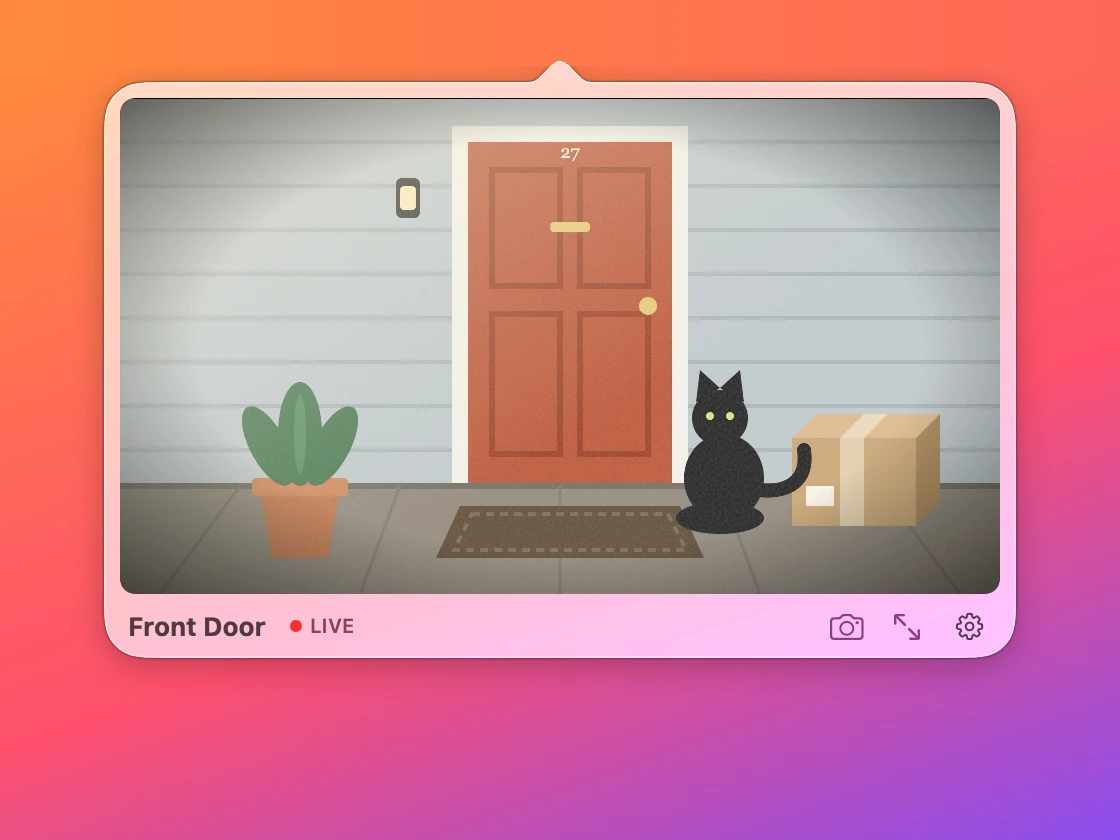
Peepbar’s window open under its menu bar icon, showing a live view of a front porch
click the lens
FRONT DOOR
2026-11-26 08:14:07
Saved to Pictures

No app to open. No spinner.

Camera apps make you wait while they connect. Peepbar keeps the connection open in the background, so the picture is ready before you click.

Works with what you already have

If your camera has an RTSP address, Peepbar can almost certainly show it. These are the ones people ask about most:

HikvisionReolinkDahuaAmcrestTP-Link TapoUniFi Protectmost cameras with an rtsp:// URL

What it doesn’t do

Just a window to your camera, nothing else.

Accounts

Nothing to sign up for. Type in the camera’s address and you’re done.

Cloud

Your Mac talks to your camera directly. Nothing in between.

Tracking

No analytics and no crash reporters. It doesn’t phone home.

Recording

It shows live video. Keep your NVR for recording.

Questions

Where do I find my camera’s RTSP address?

It’s usually in the camera’s own app or web settings, often under “RTSP”, “ONVIF” or “Network”. Some cameras need RTSP switched on first. Peepbar’s settings list the usual formats, for example Reolink uses rtsp://IP:554/h264Preview_01_main.

Does it work away from home?

Peepbar connects to whatever address you give it. On the same network as the camera it just works. From outside, use a VPN back home (Tailscale, WireGuard, your router’s built-in VPN) and use the camera’s address on that network.

macOS asked about “devices on your local network”. Why?

Your camera lives on your local network, and macOS asks before any app connects there. Click Allow. If you clicked Don’t Allow by mistake, go to System Settings › Privacy & Security › Local Network and turn Peepbar on.

Is there audio?

Not yet. Peepbar shows video only.

Download or App Store, which should I get?

They’re the same app. The download is signed and notarized. The App Store version updates itself automatically.
Keep an eye on the door.

Download for Mac

macOS 14 or later